Lifebox is a cloud storage service where you can back up all the memories on your phone, such as photos, videos, music files, and your phone book. Photos, contacts, and videos from your phone or tablet are automatically uploaded to Lifebox and stored securely. You can access your archive via mylifebox at any time and transfer or share this backed-up content to your smart device.
Note:
- Lifebox Membership (TR) sold by SEAGM is available for Turkey only.
- All purchases made in SEAGM are non-returnable, non-exchangeable, and non-refundable once they are delivered.
Step 2: Visit the Lifebox Membership website.
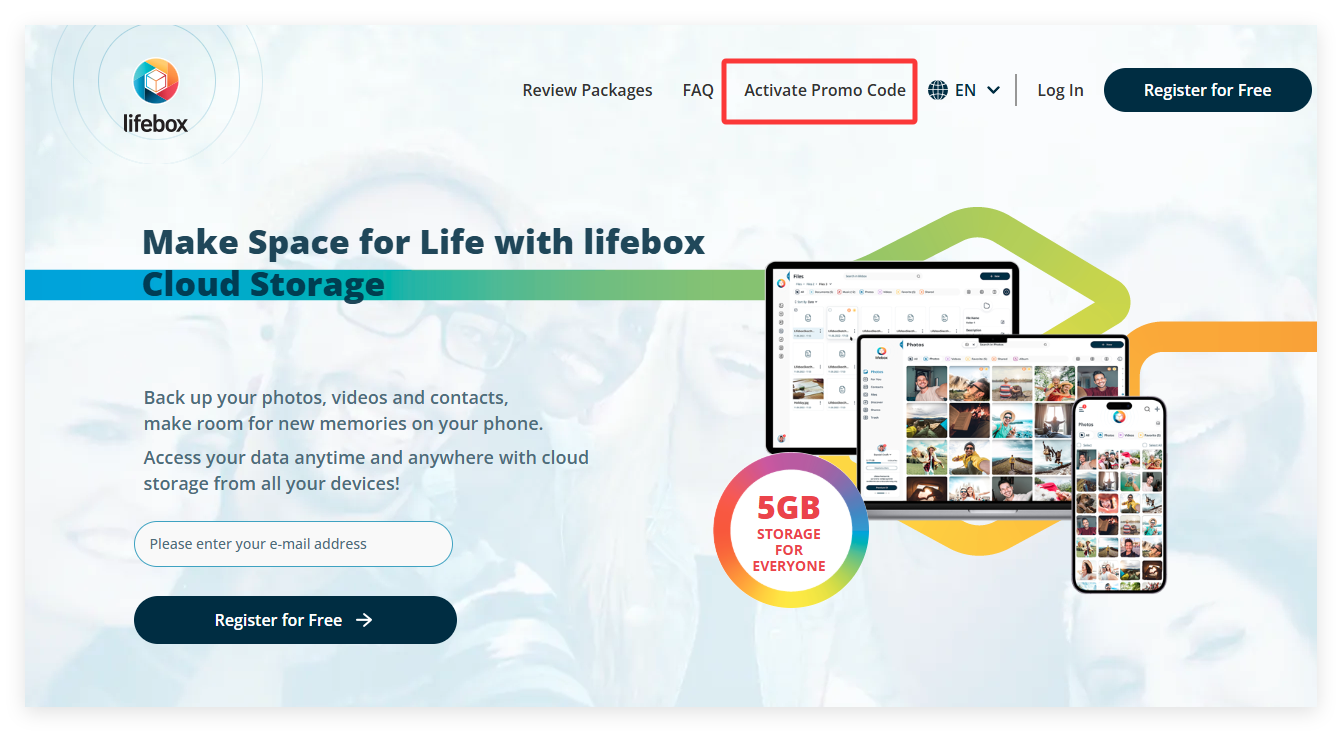
Step 3: On top of the page, click on [Activate promo code].
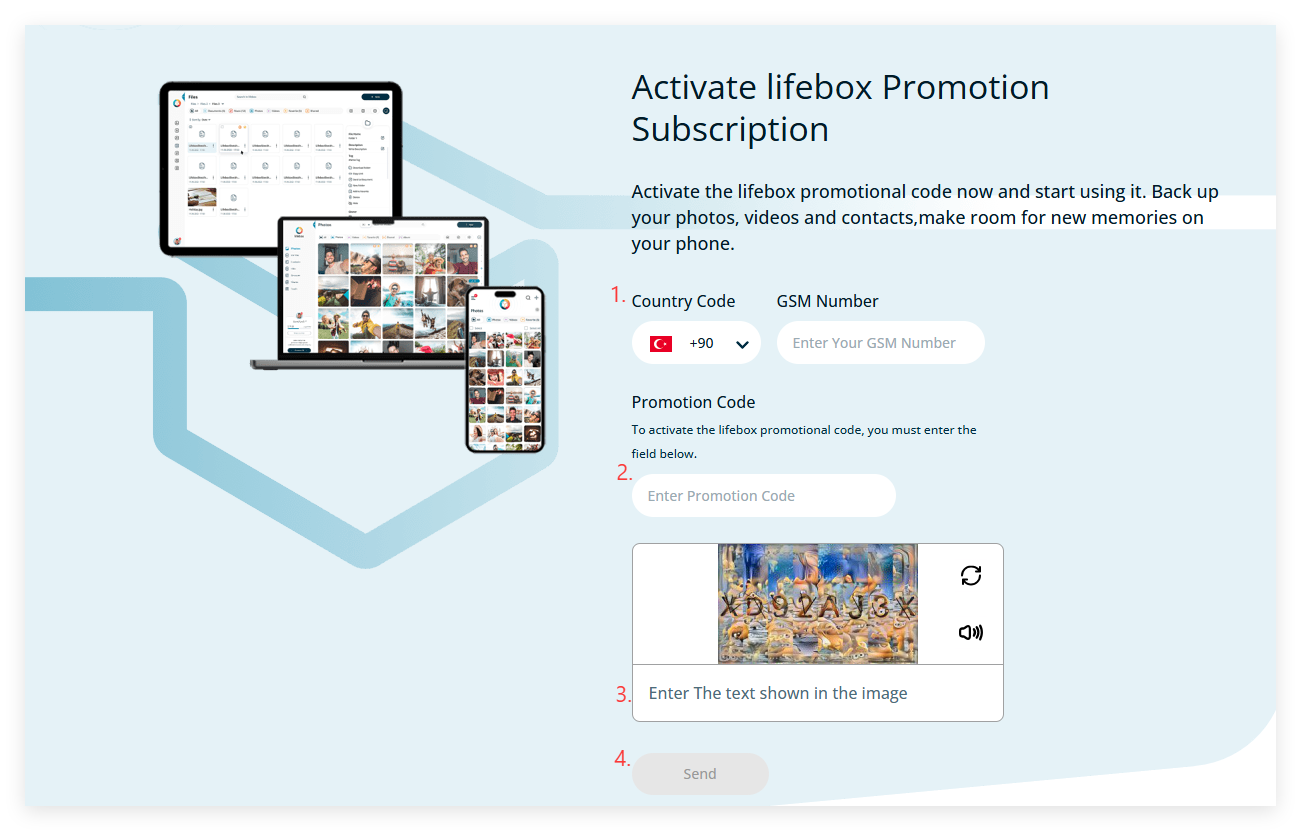
Step 4: Enter your phone number, the code purchased from SEAGM, and the verification code displayed on the screen. Then click “Send” to activate your membership.
Once the redemption is successful, your membership will be automatically renewed.
Thank you.
Visit the SEAGM Support site for quick answers and guides.
Need support? Contact our Customer Support via LiveChat .